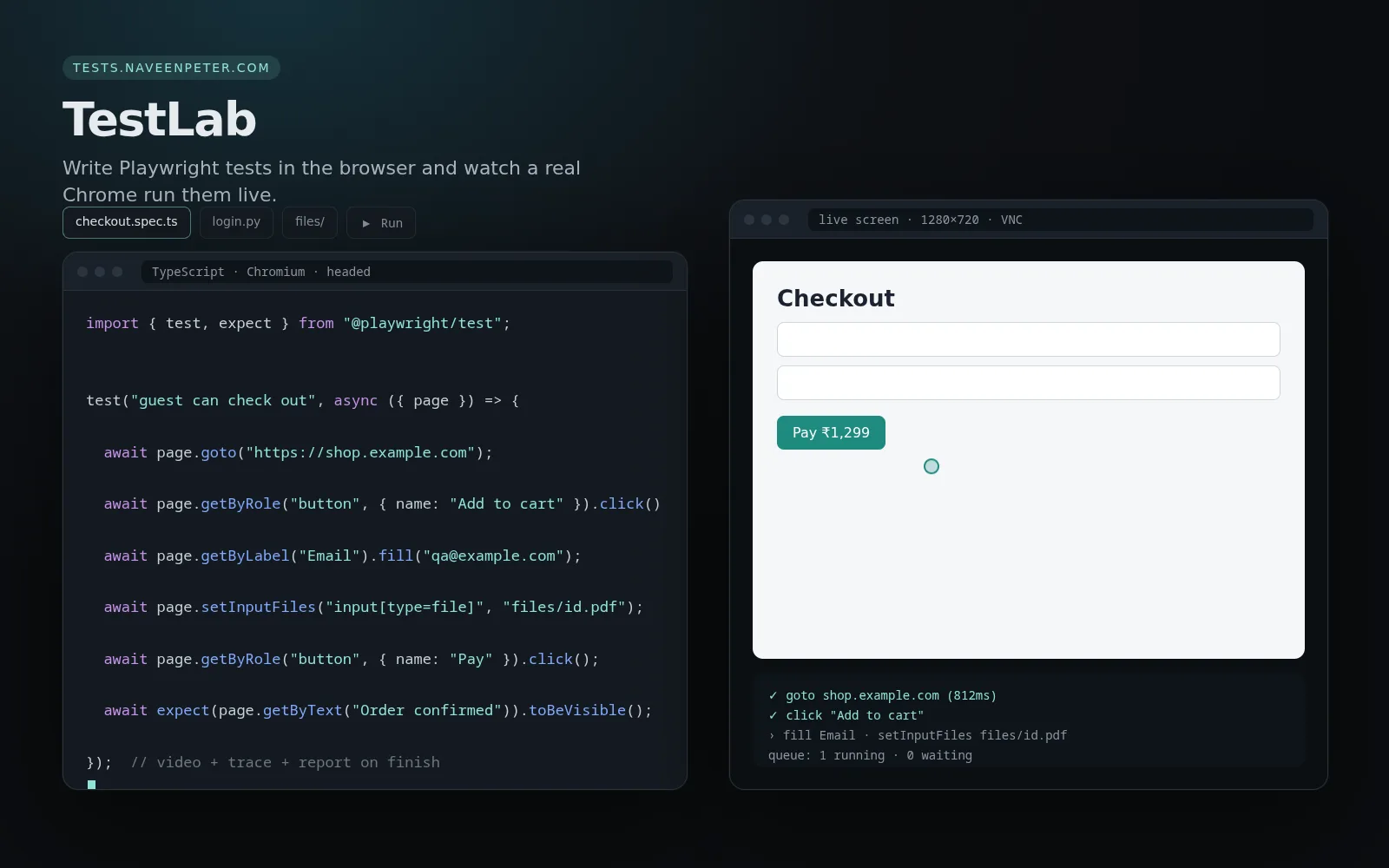
Problem
QA engineers and developers I work with kept hitting the same wall with Playwright: the setup. Node versions, browser downloads, a display server for headed runs, somewhere to keep the artifacts. Each person solved it differently on their own laptop, and nobody could watch a colleague's test run without screen-sharing.
I wanted a place where anyone on the team could paste a test, press Run, and watch a real browser do the work from a tab, with the video, trace and report waiting when it finished.
Role
I built TestLab alone, end to end: the FastAPI application, the runner, the container image, the nginx and TLS setup and the VPS deployment. It runs on the same small Hostinger VPS as my other side projects.
Stack
- FastAPI application with SQLite for tests, files and run history.
- Playwright for JavaScript and TypeScript runs and pytest-playwright for Python.
- Xvfb, fluxbox, x11vnc and noVNC/websockify so the headed Chrome is visible in the page.
- Docker image based on the official Playwright image, limited to 2 GB of memory, 1.5 CPUs and 512 processes.
- nginx on the host for HTTPS, the login page and
auth_requestprotection in front of the VNC socket.
Decisions and trade-offs
One run at a time. There is one virtual screen, so there is one queue. Other runs wait in order. The alternative, a screen per run, would have multiplied memory on a 2 vCPU box for a tool used by a handful of people.
Wrap bare steps automatically. A whole test file works, but so does pasting await page.goto('https://example.com'). Steps are wrapped in a generated test with page and expect ready. This lowered the barrier for people who had never written a Playwright test.
Three browsers, three isolation strategies. Chromium runs on the live screen. Camoufox, an anti-detect Firefox, needs an older Playwright, so it has its own Python venv and Node install. Obscura, a shared headless browser on the VPS, is reached over a token-protected WebSocket, so TestLab connects and disconnects but never owns it.
Hard limits over trust. Tests time out after 5 minutes, a run after 15, each test keeps its last 20 runs, and the container cannot reach my other Docker networks. Running other people's code is the product, so the sandbox is the feature.
Result
A team member can go from a pasted script to a watched run in under a minute, with video, screenshots, the Playwright HTML report and a trace file for every run. The recorder (playwright codegen on the live screen) lets non-developers produce a first test by clicking through their own app.
What I'd do differently
I would add per-user accounts earlier. The single shared login was fine for a small team but makes run history harder to read. I would also move artifacts off the VPS disk to object storage, which I later did for the Notes app.